
How to Use Sentence Case Converter for Formatting Text
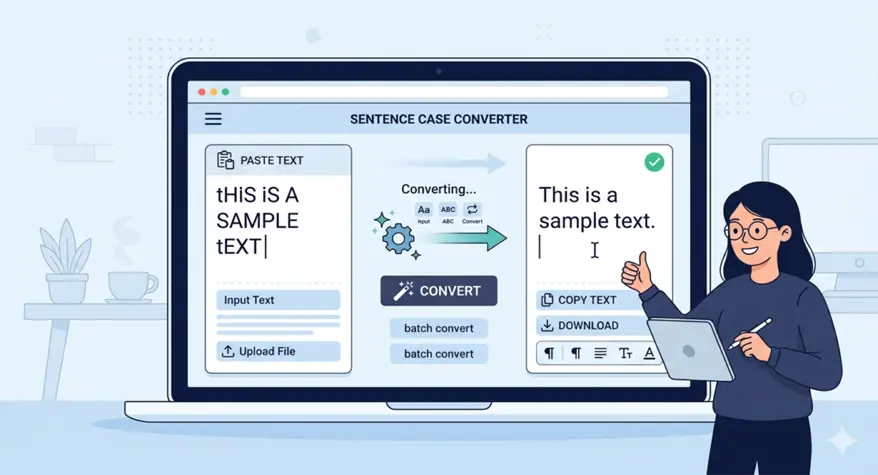
In the digital era, it is important to make sure that the text is formatted correctly to be readable and professional. Sentence case is one of the most universal formats of writing, whether it is an article, a report, or an email. However, it can be a boring job to capitalize the first letter of every sentence. That’s where a sentence case converter comes in handy. In this blog, we will discuss sentence case formatting, its advantages, and how sentence case converters can be used to save time and effort.
What is Sentence Case Formatting and Why is it Important?
Sentence case formatting is the style of capitalizing only the first letter of a sentence, proper nouns, and acronyms. It is the most natural and common format to read and is often used in blogs, emails, and documents used at work. Honestly, most people don’t even think about it—they just write this way without realizing there’s a name for it. That’s what makes it so effective; it doesn’t scream for attention or feel overly formal like all-caps or title case. Stick with sentence case for everyday writing, and your readers will thank you for keeping things simple and easy to follow.
What is Sentence Case?
Sentence case capitalizes the first word in a sentence, the initial word in a sentence following a period, question mark, or exclamation point, and proper nouns. For example:
- Correct: “The weather is beautiful today.”
- Incorrect: “THE WEATHER IS BEAUTIFUL TODAY.”
It is simple in format, which makes your text simple to read and comprehend, and this format is perfect when you are doing a general writing activity.
Why is Sentence Case Important?
The significance of sentence case formatting is that it makes the text more comprehensible and formal. It permits a natural progression in writing, making it easier to read and less formal than title case or upper case. Sentence case is commonly used in normal writing, including social media, articles, emails, and even books, as it reflects how individuals write and speak. Plus, let’s be real—nobody wants to read a whole paragraph in ALL CAPS or struggle through every word being capitalized for no reason. Sentence case just feels right because it’s how we’re used to seeing language every day. It lowers the mental effort for your reader, which means they’ll actually stick around to finish what you’ve written.
- It enhances user interaction and readability.
- It makes your writing flow naturally and makes it sound the same way.
- It minimizes the number of visual clutter, particularly in lengthy documents or paragraphs.
Common Case Converter Uses
This is not only restricted to text conversion of emails or blog posts; sentence case converter usage can also be used in text messaging. They may be applied to a variety of purposes and save you time while enhancing the formatting of your content.
- Blog Post Titles: Make your titles more readable and less formal than the traditional title case by converting them to sentence case.
- Emails: When using professional emails, make sure they are neat and easy to read, using sentence case.
- Documents and Reports: Automate document formatting.
Tools to Convert Text to Sentence Case
It can be made much easier to convert text to sentence case through a tool. There are many tools on the Internet that can automatically turn a big piece of text into sentence case and help you save time.
Which is the Best Text Case Converter Tool?
It has a number of text case-converting tools, though the best are easy to use and deliver immediate results, such as the Number to Words Converter. It has extra functions like batch processing, file upload, and support for various languages. Some of the most popular features are:
- It is an easy-to-use service that assists in formatting sentence case with just a simple click.
- It is compatible with a wide range of case formats, including sentence case, and it works on all devices.
- An effective and fast method of changing text to sentence case in a few seconds.
How to Use a Sentence Case Converter Online?
Using a sentence case converter is incredibly simple:
- Paste the content of your document or word processor.
- Enter it into the text box of the sentence case converter tool.
- Click on sentence case or sentence case formatting.
- Click convert, and your text will automatically be converted to sentence case.
- You can copy the now-formatted text and paste it into a document, an email, or a post.
You will be offered the choice to download the file or simply copy the transformed text from most online tools, making the procedure quick and efficient.
Advanced Features of Sentence Case Converters by Number to Words Converter
Lots of sophisticated sentence case converters do not just provide basic conversion, but in Number to Words Converter you can find some of the following features:
- Batch Processing: convert whole documents or several paragraphs at a time.
- File Upload: Easily upload and convert big files (such as text or CSV files) and retain their structure.
- Language Support: There are also tools that assist in conversion to different languages, which can be handy to use when writing in different languages.
- Customization: Other converters even enable you to customize your text formatting, e.g., keep or alter certain capitalization formatting tool rules on certain words.
Why Use a Sentence Case Converter Instead of Manual Editing?
Although text editing by hand is possible, it is time-consuming, particularly when you have to edit a long passage of text or a long document. The sentence case converter is not only fast, but also provides accuracy and consistency.
Benefits of Over Manual Editing
- Time-Saving: It is much quicker to convert text using a sentence case converter than it is to do so manually, particularly when large amounts of text are involved.
- Consistency: Automation guarantees that all sentences are properly formatted, eliminating the possibility of errors that may arise when editing them manually.
- Ease of Use: A sentence case converter enables even novices to produce professional formatting without any technical expertise.
Conclusion: Mastering Text Formatting with Sentence Case Converters
A sentence case converter is a simple and powerful tool that could assist you in formatting text in sentence case easily and quickly. Regardless of what you are typing, be it an email, blog post, or document, a sentence case formatting tool will make sure that what you write is clear, consistent, and professional. Want to save time and become a better writer? Test a sentence case converter and simplify your text formatting process.
Don’t let manual formatting slow you down. Try the Number to Words Converter now and experience the ease and efficiency of professional text formatting.
Frequently Asked Questions
1. What is sentence case formatting?
Sentence case formatting only capitalizes the first word of a sentence and corrects proper nouns to make the text read like natural speech and be easily understood.
2. How do I convert text to sentence case online?
Use an online conversion to change text to sentence case. Just put your text in a sentence case converter tool, click convert, and copy the text with the formatting.
3. Which is the best text case converter tool?
The optimal text case converter software is the one that provides quick, precise conversions, is user-friendly, and supports batch processing and mobile compatibility.
4. Why should I use a sentence case converter instead of manual editing?
A sentence case converter saves time, provides uniformity, and reduces the chances of errors relative to editing by hand.
5. Can I convert long paragraphs or multiple lines of text to sentence case?
Yes, most sentence case converters let you convert paragraphs or even entire documents to sentence case in seconds, with ease.