
How to Convert Dates to Words in Contracts and Official Documents
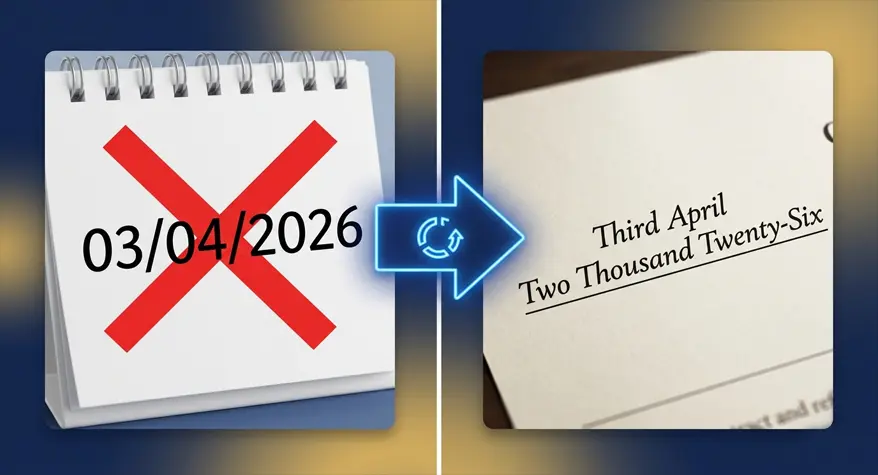
While it may not seem very significant, writing a date in words can be a make or break situation in legal documentation. I have been a party to a contract that was delayed as a result of someone misinterpreting the date. It is a serious concern, and anything of that sort should be handled carefully. Accurately writing the date in words is vital when scheduling a contract, billing invoice, or most kinds of business paperwork.
In this guide, I’ll show you how professionals handle this task, point out the mistakes I see people make all the time, and explain why a good date to words converter can save you a whole lot of headache.
Why Writing Dates in Words Actually Matters
Let me give you a real example of why this matters. Take “03/04/2026” – if you’re in the US, you’re probably reading that as March 4th. But if you’re in the UK or Australia, that same string of numbers means April 3rd. That’s not just confusing – that’s a potential lawsuit waiting to happen.
When you write the date in words, all that confusion disappears. Here’s what you gain:
- Nobody can misinterpret which date you’re talking about
- International business partners won’t get mixed up
- It’s much harder for someone to alter or forge the date
- Your documents look more professional and consistent
- You’re following standard practices for official paperwork
Think about it this way: if you write 05/07/2026, someone could argue about what that means. But if you spell out date in words as Fifth July Two Thousand Twenty-Six, there’s no arguing. It’s crystal clear.
The Most Common Date Formats People Use
Over the years, I’ve noticed that different industries and regions have their preferences. But when you’re spelling dates out fully, most people stick to one of these three approaches.
1. The Full Formal Format
This is what you’ll find in most contracts and legal documents:
- Twenty-Third March Two Thousand Twenty-Six
- First January Two Thousand Twenty-Five
Lawyers love this format because there’s absolutely nothing left to interpretation. It’s what I recommend for any high-stakes agreement.
2. The Mixed Format
Some documents combine numbers and words:
- 23rd March, Two Thousand Twenty-Six
- 1st January, Two Thousand Twenty-Five
This one’s a bit more readable while still keeping things formal enough for most business purposes.
3. Fully Written with Ordinals
This is the most formal option of the bunch:
- The Twenty-Third Day of March, Two Thousand Twenty-Six
- The First Day of January, Two Thousand Twenty-Five
You’ll see this a lot in legal contracts and court documents. It sounds official because it is official.
How to Write Date in Words Manually
If you’re doing this the old-fashioned way, here’s the process I use and recommend to others:
Step 1: Convert the Day
Take the number of the day and turn it into its word form:
- 1 → First
- 2 → Second
- 21 → Twenty-First
- 31 → Thirty-First
Step 2: Write the Month
Always use the full month name. No shortcuts like “Jan” or “Feb” – spell it out completely.
Step 3: Convert the Year
Break the year into how you’d actually say it:
- 2026 → Two Thousand Twenty-Six
- 1998 → Nineteen Ninety-Eight
- 2000 → Two Thousand
Step 4: Put It All Together
Your final result should look something like this:
- Twenty-Fifth December Two Thousand Twenty-Six
- Ninth August Two Thousand Twenty-Four
This method works fine if you’re only doing it once in a while. But if you’re handling documents daily, trust me, it gets tedious fast.
Mistakes I See People Make All the Time
I can’t tell you how many documents I’ve reviewed where someone messed up the date. Here are the most common errors:
Getting Ordinals Wrong
I see people write date in English words like “Twenty Three March” when they should write “Twenty-Third March.” Ordinal numbers matter – don’t skip them.
Mixing Formats Inconsistently
Some people write the day in words, then use numbers for the month, then words for the year again. It looks messy and unprofessional.
Spelling Errors
“Fourty” instead of “Forty” is incredibly common. So is “nineth” instead of “ninth.” Spellcheck won’t always catch these, so you need to be careful.
Inconsistent Style Within One Document
If you use one format on page one and a different format on page two, it looks sloppy. Pick one and stick with it.
Forgetting About Regional Differences
This one’s tricky because people assume everyone reads dates the same way. They don’t. If you don’t spell out date in words, someone somewhere will read it wrong.
Manual Conversion vs. Using a Converter Tool
Over the years, I’ve tried both approaches, and each has its place.
Doing It Manually
The good:
- No need for any tools or internet
- Works fine for a one-off document
The bad:
- Takes way too much time
- You’ll make mistakes eventually – we all do
- Processing a batch of documents is a nightmare
Using an Online Date to Words Converter
Once I started using tools for this, I never looked back.
The good:
- Instant results – seconds, not minutes
- No typos or formatting errors
- Consistent output every single time
- Perfect for document batches
The bad:
- You need an internet connection
For anyone who deals with documents regularly, the tool-based approach is just smarter.
How a Date to Words Converter Can Help
One tool I’ve found genuinely useful is the Date to Words Converter.
Simply type in your numeric date, and it instantly gives you the properly formatted English wording.
Here’s what it does for you:
- You type in any numeric date
- It gives you the English wording instantly
- You copy the result and paste it wherever you need it
- No manual checking required
For example:
Type: 15/09/2026
Get: Fifteenth September Two Thousand Twenty-Six
That’s it. Takes two seconds, and you know it’s correct.
Where You’ll Actually Use This
I’ve used date-to-words conversion in more places than I expected over the years:
- Contracts and agreements
- Bank forms and financial paperwork
- Cheques and payment documents
- Government applications and forms
- Academic certificates
- Affidavits and legal declarations
In every case, getting the date right wasn’t optional – it was essential.
Practical Tips for Writing Dates in English Words
After years of dealing with this stuff, here are the rules I follow:
- Capitalize the first letter of every word in the date
- Use hyphens in compound numbers like Twenty-One and Thirty-Five
- Never abbreviate months – always write them out fully
- Choose one format and use it throughout your entire document
- Always do a final read-through to catch any mistakes
If you’re also dealing with large numbers in financial documents, the Number to Words Converter can help with those too.
Saving Time Without Sacrificing Quality
Here’s something I learned the hard way: manually converting dates when you have a pile of documents to process is a huge waste of time.
A good tool to convert date to text online gives you:
- Less manual work to do
- No spelling mistakes to worry about
- Consistent formatting across everything
- Faster document turnaround
If you process contracts or legal documents regularly, this efficiency really adds up.
Avoiding Costly Errors in Legal Documents
In legal paperwork, even small mistakes can turn into big problems. Trust me on this – I’ve seen it happen.
Here’s what I recommend:
- Always compare the numeric date against the written version
- Keep the same format throughout all pages
- Don’t cross things out or scribble corrections
- Type documents instead of handwriting them when possible
- Use a reliable date to words converter to be safe
These steps might seem basic, but they’ll save you from a lot of headaches.
A Concrete Example
Let me show you what this looks like in practice:
Take this numeric date: 07/11/2026
The correct written version is:
Seventh November Two Thousand Twenty-Six
And in a contract sentence:
“This agreement is made on the Seventh day of November, Two Thousand Twenty-Six.”
See how there’s no confusion? That’s exactly what you want.
Other Tools That Can Help
If you’re working with numbers regularly, there are other tools worth knowing about. The Fraction to Decimal Converter lets you convert fractions to decimals instantly.
Combining date formatting tools with other calculation tools can really streamline your workflow.
Good Habits for Professionals
Over the years, I’ve developed a few habits that make document preparation easier:
- Keep a template with your preferred date format ready to go
- Use online tools for repetitive formatting tasks
- Have a checklist to catch common mistakes
- Review every document before submitting it
- Be consistent with formatting across all records
These habits take time to develop, but they make a real difference in both speed and quality.
Conclusion
Writing the date in words isn’t just a way to be fussy or to follow rules that don’t make any sense. It’s a way to be clear – that is, to ensure the date isn’t misinterpreted. When you’re dealing with commercial contracts, financial or legal papers, and the like, the day in words adds precision.
Manual conversion can save you if you only need it for rare use. But if you need reliability and time saving, then a useful date to words converter will definitely be well worth some consideration. It’s quick, reliable, and takes another worry off your mind when preparing vital documents.
Frequently Asked Questions
1. How do I write date in words correctly?
To write date in words correctly, turn the day number into its ordinal form, write out the full month name, and spell the entire year in words. For example, 12/08/2026 becomes “Twelfth August Two Thousand Twenty-Six.” Just make sure you’re consistent and don’t switch between numeric and written styles within the same document.
2. Is there a free way to convert date to text online?
Yes, there are several free tools that let you convert date to text online instantly. They take your numeric date and give you the properly formatted words, saving time and ensuring accuracy across all your documents.
3. Why should I spell out date in words?
When you spell out date in words, you eliminate the confusion that comes with different regional date formats. This brings clarity to contracts and legal paperwork, reduces the chance of misinterpretation, and keeps things consistent across formal records where accuracy matters.
4. What’s the best date format for contracts?
The most widely accepted format for contracts is “The Twenty-First day of March, Two Thousand Twenty-Six.” It’s formal, clear, and legally recognized. Since everything is written out in full, there’s no chance of someone misreading it.
5. Do I have to use ordinal numbers when writing dates?
Yes, you really should. Ordinal numbers like First, Second, and Twenty-Third are essential when you write date in English words. They clearly indicate the exact position of the day within the month and keep the grammar correct, especially in formal and legal documents.