
Binary, Octal, Decimal, and Hexadecimal: A Beginner’s Guide to Number Systems
No matter whether you’ve used computers or even used a calculator, you know that you’ve already used number systems; you may just not have known it. Data is saved and stored in computers, and even colors are shown on your screen using number systems!
This cheat sheet explains the four most common number systems (binary, octal, decimal, and hexadecimal) in a simplified, practical way. Rather than just demonstrating the logic behind these number formats, you’ll also learn how they are commonly used in the real world. After reading this guide, you’ll be comfortable working with these number systems in all kinds of applications.
What Are Number Systems?
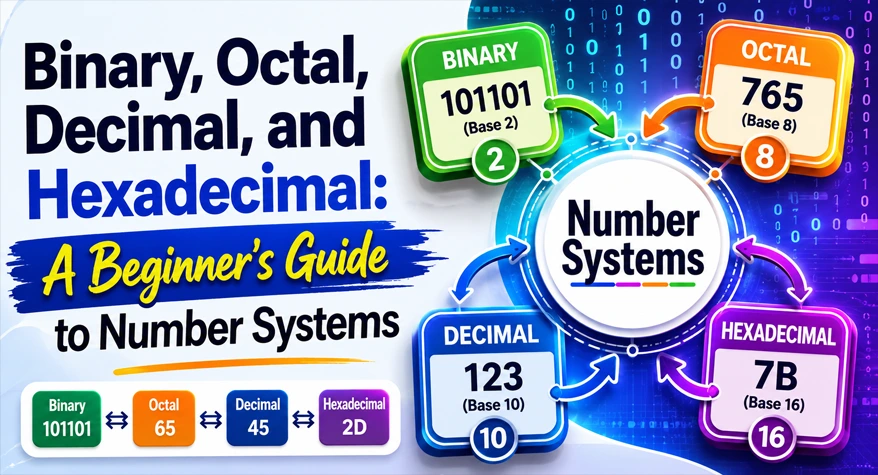
A number system is a way of representing numbers using a specific set of digits and rules. Each system is defined by its base (also called radix), which determines how many unique digits it uses.
For example:
- The decimal system uses base 10 (digits 0–9)
- Binary uses base 2 (digits 0 and 1)
Different systems are used for different purposes, especially in computing and digital electronics.
Why Number Systems Matter in Real Life
You might think number systems are just theoretical concepts, but they have very real applications:
- Computers operate entirely in binary
- Memory addresses are often represented in hexadecimal
- File permissions in Unix systems use octal
- Every day calculations rely on decimal
If you’re a developer or working with digital tools, understanding these systems can save time and reduce errors.
The Decimal System (Base 10)
What is a decimal?
The decimal system is the most familiar number system. It uses ten digits:
0, 1, 2, 3, 4, 5, 6, 7, 8, 9
Each position in a number represents a power of 10.
Example
The number 345 can be broken down as:
- 3 × 10² = 300
- 4 × 10¹ = 40
- 5 × 10⁰ = 5
Total = 345
Where It’s Used
Daily calculations
Financial systems
Measurements and counting
The Binary System (Base 2)
What Is Binary?
Binary is the foundation of all modern computing. It uses only two digits:
0 and 1
Each digit is called a bit.
Example
The binary number 1011 represents:
- 1 × 2³ = 8
- 0 × 2² = 0
- 1 × 2¹ = 2
- 1 × 2⁰ = 1
Total = 11 (in decimal)
Why Computers Use Binary
Computers use electrical signals that can be either ON or OFF. These two states map perfectly to 1 and 0, making binary the most efficient system for machines.
The Octal System (Base 8)
What Is Octal?
The octal system uses eight digits:
0 to 7
It acts as a shortcut representation of binary numbers.
Example
The octal number 17 equals:
- 1 × 8¹ = 8
- 7 × 8⁰ = 7
Total = 15 (in decimal)
Where Octal Is Used
Compact representation of binary data
File permissions in Linux/Unix (e.g., 755)
The Hexadecimal System (Base 16)
What Is Hexadecimal?
Hexadecimal uses sixteen symbols:
0–9 and A–F
(A = 10, B = 11, …, F = 15)
Example
The hexadecimal number 1A equals:
- 1 × 16¹ = 16
- A (10) × 16⁰ = 10
Total = 26 (in decimal)
Where It’s Used
Web development (e.g., color codes like #FF5733)
Memory addresses
Debugging and low-level programming
Comparing the Four Number Systems
Each system has its own strengths:
- Decimal: Best for human understanding
- Binary: Essential for computers
- Octal: Simplifies binary representation
- Hexadecimal: Compact and readable for developers
For example, the decimal number 255 can be represented as:
Hexadecimal: FF
Binary: 11111111
Octal: 377
Common Conversion Mistakes and How to Avoid Them
When converting between number systems, beginners often run into errors. Here are the most common ones:
Misplacing Positional Values
Each digit’s position matters. A small mistake in exponent calculation can lead to completely wrong results.
Tip: Always write powers clearly before calculating.
Confusing Bases
Mixing up base values (like using base 10 logic for binary) is a frequent issue.
Tip: Double-check the base before starting conversion.
Incorrect Grouping in Binary
When converting binary to octal or hexadecimal, grouping bits incorrectly leads to errors.
- Octal: Group in sets of 3 bits
- Hexadecimal: Group in sets of 4 bits
Forgetting Hexadecimal Letters
Many people forget that A–F represent values from 10 to 15.
Tip: Memorize or keep a quick reference handy.
Manual vs Tool-Based Conversion
Manual Conversion
Manual methods help you understand how number systems work. However:
- Time-consuming for large numbers
- Prone to calculation errors
- Not practical for repeated tasks
Tool-Based Conversion
Using an online Number System Converter is far more efficient, especially for developers and data-heavy tasks.
- Instant results
- Eliminates human error
- Supports multiple formats at once
For example, you can use the Number System Converter to quickly switch between binary, octal, decimal, and hexadecimal without manual calculations.
For users who regularly work with online tools, this can significantly improve speed and accuracy. The Fraction to Decimal Converter helps users complete this task instantly without manual effort, making the process more reliable and efficient.
Practical Use Cases You Should Know
Understanding number systems isn’t just academic—it’s highly practical.
Web Development
Hexadecimal is widely used for colors in CSS. For instance:
- #FFFFFF = White
- #000000 = Black
If you frequently deal with numeric representations, tools like the Roman Numeral Converter can also help in formatting numbers for specialized use cases.
Data Storage and Memory
Binary and hexadecimal are used to represent memory addresses and machine-level data.
File Permissions
Octal numbers define access permissions in Unix-based systems.
Debugging and Programming
Developers often switch between number systems when debugging or analyzing data structures.
Tips to Learn Number Systems Faster
If you’re just getting started, these tips can help:
- Practice small conversions daily
- Use visual grouping for binary conversions
- Memorize key values (like powers of 2 and 16)
- Use online tools to verify your answers
Combining manual practice with tools gives you both understanding and efficiency.
How Conversion Works (Simple Example)
Let’s convert decimal 45 into binary:
- Divide 45 by 2 → remainder 1
- Divide 22 by 2 → remainder 0
- Divide 11 by 2 → remainder 1
- Divide 5 by 2 → remainder 1
- Divide 2 by 2 → remainder 0
- Divide 1 by 2 → remainder 1
Now read remainders from bottom to top:
Binary = 101101
This method works for most decimal-to-binary conversions.
Why Developers Prefer Hexadecimal Over Binary
Binary can get long and hard to read. For example:
- Binary: 111111111111
- Hexadecimal: FFF
Hexadecimal reduces complexity while keeping accuracy intact. That’s why it’s widely used in programming and system-level operations.
Final Thoughts
Number systems are the backbone of digital technology. Whether you’re building web tools, debugging code, or working with data, understanding binary, octal, decimal, and hexadecimal gives you a strong technical edge.
While manual conversion helps build foundational knowledge, using tools like the Number System Converter makes your workflow faster and more accurate—especially when handling large or complex values.
Frequently Asked Questions
1. What is the easiest number system to learn first?
Decimal is the simplest because it is used daily. Once the learner has grasped the use of decimals, the transition to binary is relatively easy because it uses 0 or 1 rather than 0 to 9, but both use the same positional system. Beginners should focus on decimal-to-binary conversions.
2. Why do we use binary instead of decimal in computers?
Binary is used because electrical signals in a computer can only have two states, ON and OFF, which can easily be represented as 1 and 0, respectively. This makes binary very efficient, reliable, and simple for a computer to process compared to other, more complicated systems such as the decimal system.
3. In what way is hexadecimal more relevant to web building?
The hexadecimal system is mostly used when choosing colors for website design. A color code such as #FF5733 tells us the amount of red, green, and blue within the color. The hexadecimal system is shorter than binary and easier to read, making it popular for developers when creating user interfaces/styling.
4. Is octal still widely employed?
Yes, it can still be used in certain contexts, such as Unix and Linux permission codes. An example would be 755 and 644, which are permission codes based on the octal system. It hasn’t been used as much as binary or hexadecimal, but it still exists.
5. Is it trustworthy to use online converters?
Online converters are very accurate and save time, especially for large numbers or complicated conversions. But knowing the basics is necessary to check outputs and prevent errors. The right solution is a mix of manual study combined with the use of tools.