
How Writers and Students Can Track Writing Progress Using Word Count Tools
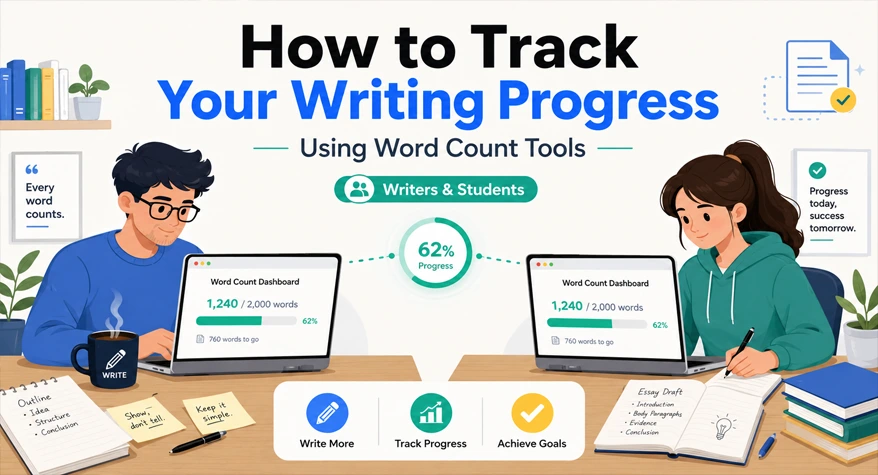
Tracking word count can help writers and students measure writing progress, manage longer assignments, and see how much work is completed during each session.
For example, a student working on a 3,000-word assignment can divide the target into smaller daily goals and compare the word count after each session. Writers can use the same approach to track drafts, revisions, and overall output.
The goal is not simply to write more words. It is to create a consistent way to measure progress without letting word count become the only measure of good writing.
Why Tracking Writing Progress Matters More Than You Think
Tracking word count gives writers a simple way to measure progress over time. It can show how much you typically write during a session, how long a draft takes to complete, and whether you are moving toward a project deadline.
For students, tracking can make a large assignment easier to manage. A 3,000-word paper, for example, can be divided into smaller daily targets instead of being left until the final day.
Word count is only one measure of progress, but it can provide a useful starting point for planning and reviewing your work.
How Students Can Use Word Count Tracking Effectively
Breaking Down Assignments by Daily Targets
Large assignments are easier to manage when the total word count is divided into smaller targets.
For example, a 4,000-word paper planned over eight writing days could be divided into approximately 500 words per day.
A simple schedule might look like this:
- Days 1–2: Research and outline
- Days 3–4: Introduction and background
- Days 5–6: Main arguments and analysis
- Day 7: Conclusion and transitions
- Day 8: Editing and final word-count check
The exact target depends on the assignment, but breaking the work into smaller stages makes progress easier to measure.
Tracking Drafts, Not Just Final Output
Students and writers can check word count at different stages of a draft. Compare the first draft with the revised version to see whether editing added or removed words.
This is particularly useful when an assignment has a minimum or maximum word limit. Checking during the writing process gives you time to adjust the content before submission.
How Writers Can Build a Word Count Habit That Actually Sticks
Set a Realistic Daily Goal
Choose a daily target based on your project, available time, and previous writing pace. A smaller target that you can maintain consistently is usually more useful than an unrealistic target that quickly becomes difficult to maintain.
Review your progress after several sessions and adjust the target if necessary. The purpose is to create a sustainable writing routine, not to maximize the number of words written every day.
Log Your Sessions
Keep a simple record of each writing session. You can use a spreadsheet, notebook, or notes application.
Record:
- Date
- Project
- Starting word count
- Ending word count
- Net change
After several sessions, this record can show your typical output and help you plan future writing tasks.
Separate Writing Sessions from Editing Sessions
Writing and editing can affect word count differently. A writing session may increase the total, while editing may remove unnecessary words.
Record them separately when tracking progress. This prevents a lower final word count from being mistaken for a lack of productivity.
Features to Look For in a Word Count Tool
Not all word count tools are created equal. Here’s what makes one genuinely useful for ongoing progress tracking:
- Instant count without clicking extra buttons — paste and read
- Character count alongside word count — useful for social media, headlines, and SEO meta descriptions
- No character limit on input — some free tools cap at a small amount, which makes them useless for long drafts
- Clean interface — no distractions, no forced sign-ups
- Works on mobile — important if you write on your phone or tablet
A word count tool can be useful when you want to check a draft quickly without opening the original writing application. A character counter can also help when a platform has a character limit, such as a title, caption, or short-form post.
A character counter can also help when a platform has a character limit.
Common Mistakes Writers Make When Tracking Progress
Even with the right tools, some habits undermine the whole process.
Counting only finished drafts. First drafts are messy, and that’s fine. Track them anyway. Waiting until something is polished to count it means you’re not measuring the actual work being done.
Using word count as the only metric. Word count tells you how much you wrote, not how well you wrote it. Use it alongside other signals — did you cover your main points? Does the piece flow? Don’t let a number become the only thing that feels like success.
Skipping logging when output was low. The temptation to skip logging a 150-word day is understandable, but those entries matter. They show you the rhythm of your writing life honestly, including the hard days.
Resetting targets too quickly. After one good 1,200-word day, some writers immediately bump their daily goal. Give a new target at least two weeks before raising it again.
How to Make an Online Word Count Tool Part of Your Daily Routine
The goal is to make word-count tracking part of the writing process without adding unnecessary work.
A simple routine is:
- Record your starting word count.
- Write or edit your draft.
- Check the ending word count.
- Calculate the difference.
- Record the result with the date and project name.
For example, if a draft starts at 1,200 words and ends at 1,650 words, the session produced a net increase of 450 words.
Over time, these records can help you understand your writing pace and plan future deadlines.se who go by feel. It’s not magic — it’s just that measurement creates accountability, and accountability creates results.
Frequently Asked Questions
1. What is a word count tool, and how does it help writers track progress?
A word count tool counts the words in a piece of text. Writers can use it to record the word count of drafts and compare results across writing sessions.
2. How can students use a word counter to meet assignment deadlines?
Students can divide an assignment into smaller daily targets and check their word count after each session. For example, a 3,000-word assignment planned over six writing days could have a target of about 500 words per day.
3. Are online word count tools accurate?
Most word count tools provide consistent results for ordinary text, but counting rules can differ for items such as hyphenated words, contractions, numbers, and special characters. For consistent progress tracking, use the same tool throughout a project.
4. How many words should a writer write per day?
There is no universal daily word-count target. A suitable target depends on the type of writing, available time, project deadline, and individual writing pace. A realistic target that can be maintained consistently is more useful than an arbitrary number.