
How to Write Dates in Words Correctly: Formal and Informal Formats
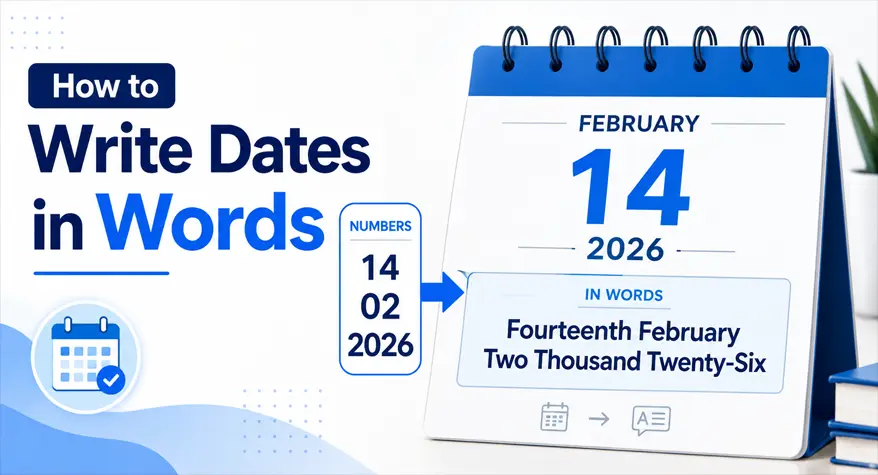
It might seem reasonable to write the dates in words, but this can be quite confusing when you move from formal documents like legal forms to informal text or even across country types like the US and UK. For any document you are writing for formal, informal, SEO, or academic writing, keeping the date correctly in words can be very beneficial.
This guide covers how to convert dates into words, the difference between formal and informal date formats, and where a date to words converter actually comes in handy.
Why Writing Dates in Words Matters
Dates written in words are widely used in formal contexts where clarity and authenticity are essential. Unlike numeric formats, written dates reduce ambiguity and prevent misinterpretation.
For example:
- 05/06/2026 can mean May 6 or June 5, depending on the region
- Writing it as “5th June 2026” removes confusion entirely
This is especially important in:
- Legal documents
- Academic assignments
- Financial records
- Invitations and certificates
Using words ensures that your message is clear, regardless of who reads it.
Standard Formats for Writing Dates in Words
Different regions follow different styles when writing dates. Understanding these formats helps you choose the right one based on your audience.
1. British Format (Day-Month-Year)
This is commonly used in the UK, India, and many other countries.
Example:
- 14th February 2026
- Fourteenth February Two Thousand Twenty-Six
Key points:
- Day comes first
- Month is written in full
- Year is written in words or numerals, depending on context
2. American Format (Month-Day-Year)
Used primarily in the United States.
Example:
- February 14, 2026
- February Fourteenth, Two Thousand Twenty-Six
Key points:
- Month comes first
- A comma separates day and year
- Often used in informal and business writing
3. Fully Written Formal Format
This format is used in legal or highly formal documents.
Example:
- The Fourteenth Day of February, Two Thousand Twenty-Six
This style is common in:
- Contracts
- Agreements
- Government documents
4. Informal Written Format
Used in casual writing, emails, or blogs.
Example:
- 14 February 2026
- February 14th, 2026
It balances readability with simplicity and is widely accepted online.
Step-by-Step: How to Write Date in Words
If you are converting a date manually, follow these simple steps:
Step 1: Identify the Format
Decide whether you are using British or American style.
Step 2: Convert the Day
Write the day in ordinal form:
- 1 → First
- 2 → Second
- 14 → Fourteenth
Step 3: Write the Month
Always write the month in full:
- Jan → January
- Feb → February
Step 4: Convert the Year
Split the year into readable parts:
- 2026 → Two Thousand Twenty-Six
Step 5: Combine Everything
Put all parts together correctly.
Example:
- 14/02/2026 → Fourteenth February Two Thousand Twenty-Six
Common Mistakes to Avoid
Even experienced writers make errors when writing dates in words. Here are the most common ones and how to fix them:
1. Mixing Date Formats
Using British and American formats together creates confusion.
Wrong:
- February 14th 2026 (missing comma in US style)
Correct:
- February 14th, 2026
2. Writing Cardinal Instead of Ordinal Numbers
Dates require ordinal numbers, not cardinal ones.
Wrong:
- Fourteen February
Correct:
- Fourteenth February
3. Incorrect Year Formatting
Many people write years incorrectly.
Wrong:
- Two Thousand and Twenty Six
Correct:
- Two Thousand Twenty-Six
4. Inconsistent Capitalization
Formal writing requires proper capitalization.
Wrong:
- fourteenth february two thousand twenty-six
Correct:
- Fourteenth February Two Thousand Twenty-Six
If you need to quickly fix capitalization errors in dates or any other text, you can use a Sentence Case Converter to ensure proper formatting instantly.
5. Skipping Hyphens in Numbers
Compound numbers should include hyphens.
Wrong:
- Twenty Six
Correct:
Twenty-Six
Manual vs Tool-Based Date Conversion
Writing dates manually works fine for occasional use, but it becomes time-consuming and error-prone when dealing with multiple entries.
Manual Method
Pros:
- Full control over formatting
- Useful for learning
Cons:
- Time-consuming
- Easy to make mistakes
- Not scalable for bulk tasks
Using a Date to Words Converter
A reliable Date to Words converter like the one available at
can instantly convert numeric dates into accurate word formats.
Benefits include:
- Saves time when handling multiple dates
- Ensures consistent formatting
- Eliminates human errors
- Supports different styles (formal/informal)
For developers and SEO writers working on structured content, tools like this streamline workflows significantly..
When Should You Use Dates in Words?
Writing dates in words is not always necessary. Here are situations where it is recommended:
- Legal contracts and agreements
- Academic writing
- Certificates and official records
- Formal invitations
- Financial documents
In contrast, numeric dates are suitable for:
- Data tables
- Logs and reports
- Technical documentation
SEO and Content Writing Perspective
If you are creating content for websites or tools, writing dates in words can improve readability and user trust.
Search engines also prefer clarity. For example:
- “14 February 2026” is easier to interpret than “14/02/26”
When building tools or writing SEO pages, combining structured numeric formats with written dates enhances both UX and indexing.
If you are working with numbers frequently, you may also find tools like the Number to Words Converter useful for converting large numeric values into readable text within your content.
Improving Accuracy with Automation
Automation plays a key role in modern content workflows. Instead of manually converting each date, you can rely on tools that handle formatting instantly.
For example:
- Converting hundreds of dates for invoices
- Generating reports with consistent date formats
- Creating SEO-friendly content at scale
Using a date in words generator ensures consistency across all entries.
Practical Example
Let’s convert a date using both methods:
Input:
- 25/12/2026
Manual Conversion:
- Twenty-Fifth December Two Thousand Twenty-Six
Using a date to text converter:
- Instant result with correct formatting and no errors
This difference becomes significant when working with large datasets or repetitive tasks.
Supporting Tools for Content Accuracy
Getting the length of your text is a useful task for many writers, students, bloggers, and online content creators who need to check the word requirements of their project and also for SEO purposes. The free Word Counter found at gives you a rapid count of the number of words, characters, sentences, or paragraphs in your content.
With the right tools in place, you can handle date conversions quickly without sacrificing accuracy or presentation quality.
Tips for Writing Dates Clearly
Here are some practical tips to improve your date formatting:
- Always choose one format and stick to it
- Use full month names in formal writing
- Avoid abbreviations in official documents
- Double-check ordinal forms
- Use tools when handling multiple conversions
Consistency is more important than complexity.
Conclusion
Formatting a date written out properly is a little thing that can greatly improve clarity, professionalism, and precision. Whatever it is that you are writing, a legal document, an academic paper, or an SEO page, you need to be clear and precise, and using the proper date format will help you do just that.
Having a step-by-step manual method is great if you want to learn the rules behind it, but a decent date to words converter will do the conversion much faster and more reliably if you have a lot of work to do or are cutting and pasting the information in a set format.
Suppose you regularly work with dates. Incorporate a tool like the Date to Words Converter into your workflow to save time and reduce errors.
Frequently Asked Questions
1. How do I convert a date to words online?
Use a convert date into words online tool and enter your date numerically, like 12/08/2026, and it will quickly convert it to the correct written style as “Twelfth August Two Thousand Twenty-Six”. It can be helpful to save time and prevent errors.
2. How is the date written in an official document correctly?
Legal documentation tends to always be in a written form, such as “The Twelfth Day of August, Two Thousand Twenty-Six,” in order to be definitive. This is more prevalent in contracts and legal documentation.
3. Is there really a difference between the formats used in the UK and the US?
Yes, the only difference is the order. British is Day-Month-Year (e.g., 12 August 2026). American is Month-Day-Year (e.g., August 12, 2026). So putting the date in words helps you to have the difference transparent.
4. Why should I use a date in words generator?
A date in words generator is a valuable tool that assists you in converting numeric dates into correct text versions. It minimizes manual errors, guarantees consistency, and is handy when working with bulk data, creating content, or preparing professional documentation.
5. Is it possible to use a date-to-text converter for creating SEO-friendly content?
Yes. A date to text converter makes it much easier to be clear and easy to read for SEO content. People can be recorded more easily in the case of a day of a year than in writing, and can easily find the time by reading the content.