
Why Word Count Matters for Essays, Articles, and Social Media Posts
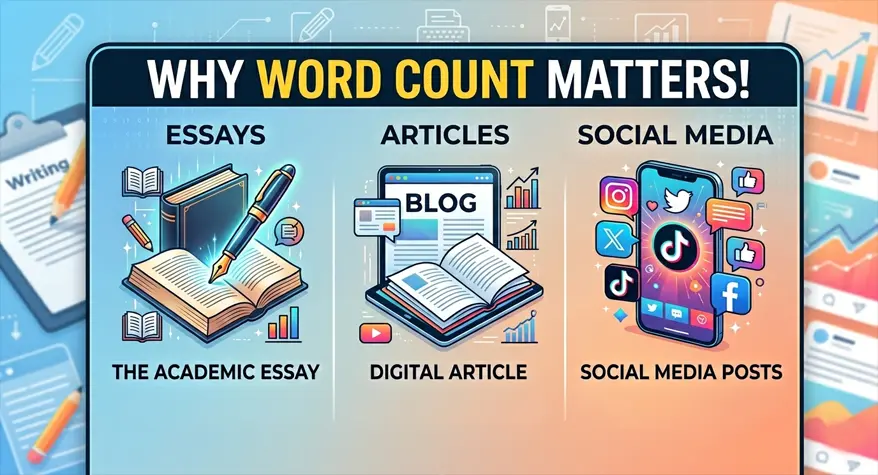
Look, I get it. When you see “word count,” you probably roll your eyes. That little number in the corner of your screen? Most people treat it like a suggestion. Or worse, they ignore it completely until five minutes before the deadline.
And then they panic.
Been there. Done that. Got the t-shirt.
Here’s the thing, though. Word count isn’t just some arbitrary number your professor or editor throws at you to make your life harder. It’s actually telling you something. It’s like a secret signal that says, “Hey, here’s how much thought went into this thing.”
Whether you’re cranking out a college essay at 2 am, writing a blog post for an editor who’s seen it all, or trying to squeeze a clever thought into 280 characters on Twitter… knowing your numbers can be the difference between someone reading your work or just scrolling right past it.
So let me walk you through what I’ve learned. Hopefully, it saves you some headaches.
College Essays and That Dreaded Word Limit
Real talk? Your professor isn’t being random when they ask for 1,500 words. They’ve been doing this for years. They know exactly how much space it takes to properly argue a point, bring in evidence, and wrap it all up without rushing.
Too short? You look shallow. Like you didn’t bother.
Too long? You’re just padding now. And professors can smell fluff from across the room. I promise you that..
Why So Many Students Miss the Mark
Here’s what happens. You finish writing. You feel pretty good about it. You’re ready to hit submit and be done.
Then you see it. You’re 300 words short. Or 400 over. And now you’re stuck.
The problem is that our brains are terrible at estimating this stuff. I’ve written paragraphs that felt massive—like I’d written a small novel—and they turned out to be 80 words. Meanwhile, some dense little paragraph I barely thought about? 200 words easily.
So yeah, guessing by feel just doesn’t cut it.
What actually works? Checking as you go. There are tools out there, like Word Counter Online, that just show you the number instantly. No signup. No fuss. Just paste and done.
Learning to Write Within Limits (It’s a Superpower)
Okay, this sounds cheesy, but hear me out. Having to stay within a word limit actually teaches you something valuable. You learn to cut the junk. You learn to stay on topic. You learn to organize your thoughts before you start typing.
These skills follow you everywhere. Emails. Reports. Even texting your boss. Trust me on this one.
Blog Posts and Web Content: Length Actually Matters for SEO
Alright, let’s talk about Google for a second. I’m not an SEO guru, and I won’t pretend to be. But here’s what I know. Google wants to show people helpful, detailed answers. Not thin little articles that say nothing.
So while word count isn’t officially a ranking thing, it kind of is? If that makes sense. Longer posts tend to cover topics better. A 300-word post? Probably not ranking for anything competitive. You’re usually looking at 1,500 to 2,500 words for something substantial.
But don’t go crazy. If you write 2,000 words that just repeat the same three points over and over, people will unsubscribe. Or worse, they’ll just never come back to your site.
A Quick Cheat Sheet (Save This Somewhere)
- How-to guides and tutorials: 1,200–2,000 words
- News and quick announcements: 400–700 words
- Big pillar pages (the kind that rank): 2,500+ words
- Product descriptions: 150–300 words, just tell me the benefits already
If you’re writing regularly, keep a word counter open in a tab. Seriously. It saves so much time.
Social Media Is a Whole Different Beast
Okay, this is where things get weird. Social media doesn’t care about word count. It cares about characters. And every single one matters.
Different platforms. Different rules. Different vibes.
Twitter/X — 280 characters. That’s it. Links count. Punctuation counts. Everything counts.
Instagram captions — You can write up to 2,200 characters, but honestly? Most people stop reading after like 125. Keep it short.
LinkedIn — 3,000 character limit, but posts over 1,300 characters actually perform worse. Go figure.
Facebook — No official limit. But here’s something interesting. Posts under 80 characters get 66% more engagement. So maybe think twice before writing a novel on Facebook.
See why you need to check before posting?
Character Count vs Word Count. What’s the Difference?
People get these mixed up constantly. So let me break it down quickly.
Word count = how many words. That’s it.
Character count = every single letter, space, comma, period, exclamation mark, everything.
Twitter and Instagram want character counts. Professors and editors want word counts. Some legal stuff wants both.
If you’re doing both regularly? Bookmark a character counter tool right next to your word counter. You’ll use both more than you think.
Why Bother With Online Tools When Word Exists?
Fair question. You could just use Microsoft Word or Google Docs. Lots of people do.
But here’s the annoying part. Word counts footnotes differently depending on your settings. Some tools count headers. Some don’t. URLs get counted in weird ways. I’ve literally seen the same 2,000-word article show 50-100-word differences between programs.
So yeah. You can estimate. Or you can just paste into a free online tool and know for sure in two seconds
How Online Tools Save Your Sanity
You paste your text. It shows you words, characters, sentences, and paragraphs. All on one screen. No settings to mess with. No “actually that footnote counted” surprises.
For anyone who submits content regularly? Students. Bloggers. Social media people. This is a lifesaver.
Mistakes I’ve Made So You Don’t Have To
I’ve messed up all of these. Learn from my mistakes.
Mistake 1: Mixing up words and characters
Happens all the time on social media. You write what feels like a short tweet, but it’s 300 characters because you used long words or added a link. Always check the character count for social. Always.
Mistake 2: Forgetting your headings count
Some professors count titles and headings in the word limit. Some don’t. If you’re not sure, ask. Because writing 1,000 words of body text plus headings when the limit is 1,000? Yeah. You’re over.
Mistake 3: Only checking at the very end
This is the biggest one. You finish the whole thing. You’re proud of it. Then you realize you’re way off. Now you have to cut stuff you loved or add fluff you hate. Check along the way. It takes five seconds.
Mistake 4: Copy-pasting between platforms
You cannot take an Instagram caption and drop it into Twitter. It won’t fit. You cannot take a LinkedIn post and paste it into Facebook and expect the same results. Adapt your content for each platform. Then check the count again.
A Few Tips That Actually Work
None of this is rocket science. You just need to build a couple of habits.
Know your platform limits before you write. Look up LinkedIn’s character limit before you start writing. It’s way easier to write within a limit than to cut stuff later.
Break your target down before you start. 1,500-word essay? Okay, 150 for intro, 300 for each body section, 150 for conclusion. Now you’re not guessing anymore.
Write first, check at natural stops. Don’t check every two sentences. That kills your flow. But after each major section? Perfect time.
Use a dedicated tool, not just your word processor. Paste into something designed for accuracy.
Know your platform limits before you write. Look up LinkedIn’s character limit before you start writing. It’s way easier to write within a limit than to cut stuff later.
Frequently Asked Questions
1. How long should a college essay be?
Most are 250-650 words. Scholarship essays and personal statements are usually 500-1,000 words. But check the application first. Every school is a little different.
2. Can I check the word count without opening Word?
Yeah, just copy your text and paste it into any online word counter. Word Counter Online works instantly, free, no software. Works on your phone too.
3. Does Twitter use word or character count?
Character count. 280 total. Spaces, punctuation, links, all of it counts. A shortened URL counts as 23 characters.
4. What does “word count without spaces” even mean?
Some publications ask for this. It counts only the visible characters. Blank spaces are ignored. If your style guide asks for it, use a counter that offers that option.
5. Why do different word counters show different numbers?
Different tools count different things. Footnotes. Headers. Hyphenated words. URLs. Just pick one tool and stick with it for all your drafts. That way, you’re comparing apples to apples.