
Fix Capitalization Errors Using Sentence Case Tool
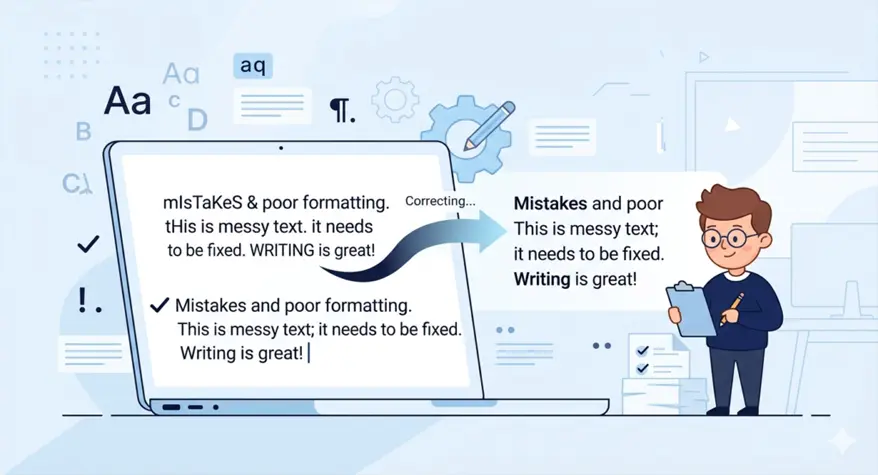
Correct capitalization is essential for making your writing clear and professional. Whether it’s a blog post, a business report, or even a social media update, proper capitalization can set your writing apart from the rest. However, manually correcting capitalization errors can be time-consuming. That’s where a Sentence Case Tool comes to your rescue, helping you fix errors with just a few clicks.
It instantly converts text to sentence case, title case, or upper case — no retyping needed. It also catches common mistakes like forgetting to capitalize after a colon or leaving proper nouns in lowercase. Best of all, it works entirely in your browser, so your private text never gets uploaded to any server. Paste your messy text, click convert, and get perfectly capitalized sentences in seconds.
The Importance of Proper Capitalization
Capitalization is not only something you learn about in grammar, but it also has an effect on the reading of your message. It helps the reader quickly see the start of a new sentence or an important concept, such as place names. For example, spelling “IPhone” instead of “iPhone” will make quite a difference when used correctly in a formal setting.
A Sentence Case Tool fixes these mistakes instantly. Just paste your text, click convert, and every word is correctly capitalized in seconds. No more manual proofreading — just clean, professional writing every time.
How Sentence Case Improves Readability
Sentence case helps you produce a natural flow of text that is easy to read. Sentence case is also easier and more intuitive to read compared to title case, which capitalizes almost all words. It helps particularly when you are writing to a wide variety of people or when you are writing on the web, as it helps you minimize cognitive load and make your message more understandable.
How to Fix Capitalization Errors in Your Text
Capitalization mistakes and errors can come in a few forms, for example, omitting capital letters when starting a sentence, or sometimes the writing is so over the top that every word is capitalized when not necessary. While manual editing is possible, using a program is quick, easy, and ensures uniformity.
Manually vs. Automated Solutions
Fixing capitalization mistakes manually can be a time-consuming and monotonous task, especially when dealing with a large document. This, however, can be done effectively by automated tools. They automatically identify and correct capitalization mistakes online, so you can concentrate on other parts of your work.
How the Sentence Case Tool Works
A Sentence Case Tool analyzes the text you write and changes the capitalization according to sentence case style. This tool ensures that only the first letter of a sentence and proper nouns are capitalized, whether you paste or write the text into the tool. With a click of a button, you can quickly fix online capitalization errors.
It works in real time — no waiting, no uploading. You can also convert text to lower case, UPPER CASE, or title case with the same click. Perfect for cleaning up copied articles, emails, or social media posts instantly.
Key Features of the Sentence Case Tool
The Sentence Case Tool is created to simplify the task of correcting capitalization mistakes and make your writing more efficient. The following are some of the main characteristics that make it special:
- Easy to use: All you have to do is paste or type your text into the tool and press a button to get proper sentence case.
- Time-saving: Does not require any manual editing, especially with long documents.
- Customization: Other tools offer additional options to customize capitalization to specific requirements, e.g., for use with titles or professional names.
Practical Examples and Use Cases
The Sentence Case Tool is flexible and can be applied in many situations, be it personal, academic, or business writing. The following are some practical examples:
Correcting Titles and Headers
Common points where capitalization mistakes are made are titles and headers. When you have prepared a blog post or business report, using titles and headers in sentence case is better for presenting the text as clean and professional.
Formatting Social Media Posts
Informal writing can be very effective on social media, and even proper capitalization can make a significant impression. Whether it’s a tweet, a post on LinkedIn, or an Instagram caption, the Sentence Case Tool will format your social media message correctly and help it shine as a well-written, well-edited piece.
Using Sentence Case for Academic Writing
Academic writing is about thoroughness and precise expression. With the Sentence Case Tool, students and professionals can ensure that their research papers, essays, and reports are correctly formatted — especially when following a specific citation style like MLA or APA.
It automatically capitalizes titles, headings, and sentences according to each style’s rules. No more flipping through style guides to check if “with” or “through” should be capitalized. Paste your draft, click convert, and submit with confidence.
Common Capitalization Mistakes and How to Avoid Them
Over-capitalization is a common trap for many writers, particularly when it comes to titles and proper nouns. The following are some pitfalls to avoid:
- Over-capitalizing job titles: Examples include using “The President of the Company” instead of “the president of the company.”
- Capitalizing common nouns: For instance, “the Mountain” instead of “the mountain.”
- Inconsistent sentence case: Using sentence case and title case interchangeably may mislead a reader and appear unprofessional.
The Sentence Case Tool can allow you to avoid such mistakes and be consistent in your writing.
Why Use the Sentence Case Tool Over Other Tools?
A wide variety of tools can assist with capitalization, but the Sentence Case Tool is specifically designed to make capitalization correction easy, fast, and accurate. The reason why it is a better option compared to others is:
Consistency and Professionalism
A major benefit of the Sentence Case Tool is that it assists in the consistency of your text. This capitalization correction tool makes sure that your writing, be it in emails, blog posts, or academic papers, is formatted professionally without any capitalization mistakes.
Saves Time on Manual Editing
Using the Sentence Case Tool, with just a few clicks, you can automatically correct all capitalization errors in your document — saving you hours of editing and retyping. This time-saving feature makes it a must-have for anyone who writes.
It works on everything from short emails to full-length books. No more scanning line by line for missing capitals. Just click, and your entire document is fixed instantly.
Conclusion
Capitalization mistakes may not appear to be a big issue, yet they can greatly enhance the professionalism and clarity of your writing. With a Sentence Case Tool, capitalization errors in your text will be easily and quickly corrected, making it look and sound natural. Begin using the Sentence Case Tool today to make your writing process easier and produce high-quality content.
Eager to correct your capitalization mistakes? The Number to Words Converter Tool is available and can be tried today to find out how it can help you write more effectively.
Frequently Asked Questions
1. How to correct capitalization errors?
Correct capitalization mistakes to ensure your text is formatted consistently using an automated tool, such as the Sentence Case Tool.
2. How do you fix text capitalization?
To correct text capitalization, you may use a capitalization tool that will change your text to correct capitalization errors.
3. How to turn all caps into sentence case?
All you have to do is put your all-caps text into a Sentence Case Tool, which will automatically change the whole text into proper sentence case with the right capitalization.
4. How to fix capitalization errors online?
Capitalization mistakes are easy to correct on the internet, as there are online capitalization correction tools that can automatically format your text to either sentence case or title case.
5. What is sentence case, and how does it fix capitalization errors?
Sentence case only capitalizes the first letter of the first word of a sentence and proper nouns, and is therefore a perfect solution to correct capitalization mistakes in text.